2026-09-09
How to Refresh Hoarding Graphics Mid-Project: When to Reprint and How to Match Existing Panels
By Bryce Mitchell — Founder, Rapid Retail Graphics
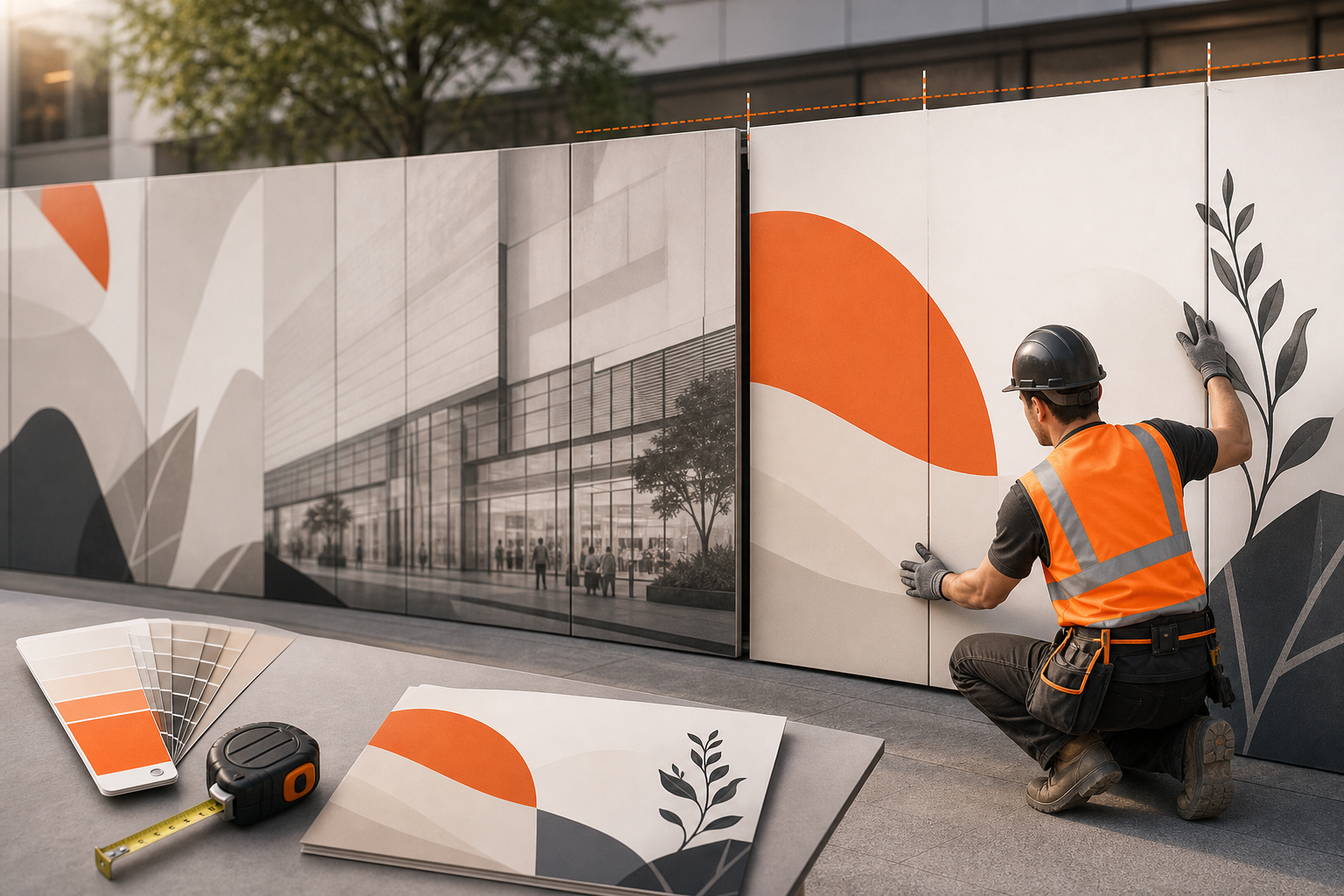
You're three months into a six-month renovation. The campaign creative has changed, the brand has updated its color palette, or the timeline has stretched and the original panels are starting to show wear. Now you need to refresh the hoarding graphics without pulling everything down and starting over.
A mid-project refresh is more technically demanding than the original installation. You're not working from a blank wall. You're working around panels that are already up, already approved, and already part of a live retail environment. Get this wrong and you're dealing with visible seams, color mismatches, and a second trip from mall operations.
This article covers when a refresh is worth doing, when it isn't, and exactly how to match new panels to existing ones so the result looks intentional rather than patched.
When a Mid-Project Refresh Actually Makes Sense
Not every reason to reprint is a good one. A refresh adds cost, coordination time, and a second round of landlord review. Before committing, the decision needs to clear a few practical filters.
Brand or Campaign Changes That Affect the Full Hoarding Run
If the brand has updated its primary logo, wordmark, or color system, partial reprints create a consistency problem. Shoppers walking past the hoarding see two versions of the same brand. That's a harder problem to explain than the cost of a full reprint.
Campaign changes are different. If you're swapping a seasonal campaign for a new one, a partial refresh can work — provided the structural elements stay consistent. Border treatments, substrate, panel dimensions. The campaign content changes; the hoarding system doesn't.
Timeline Extensions Beyond the Original Handover Date
Construction timelines slip. A hoarding designed for a four-month run at a Cadillac Fairview or Oxford property sometimes ends up on the wall for eight months. Graphics degrade. Vinyl lifts at edges in high-traffic corridors. Printed surfaces fade under sustained retail lighting.
If the original panels were installed more than five months ago and the opening date has moved, do a visual inspection before assuming the graphics will hold. Panels that look fine in photos often show edge lift and surface wear up close. The substrate and finish guide covers which materials hold up over an extended run.
Damage or Vandalism to Specific Panels
Spot damage is the most straightforward case for a partial refresh. One or two panels get tagged, scuffed, or torn. You reprint those panels and swap them out. The challenge is color matching, which is covered in detail below.
When a Refresh Probably Isn't Worth It
If you're within four to six weeks of opening, the math usually doesn't favor a full refresh. The original panels stay up, the opening happens, and the hoarding comes down. The exception is significant brand-level damage — a logo error, an outdated campaign that conflicts with a current national rollout, or a compliance issue flagged by the landlord. If the hoarding is close to coming down anyway, scope the removal phase instead of a reprint.
The Color Matching Problem and How to Solve It
This is where mid-project refreshes fail most often. New panels printed months after the originals look different, even when the same artwork file is used. The reasons are specific and predictable.
Why Panels Don't Match Automatically
Print output varies across production runs. Ink density, substrate batch, and printer calibration all affect the final color. A panel printed in March and one printed in August from the same file can show a visible difference under retail lighting.
Substrate batch matters more than most people expect. Vinyl from different production lots absorbs ink differently. Even the same product SKU from the same supplier can shift slightly between batches. If the vendor sources substrate opportunistically, that variance compounds.
Retail lighting makes color differences more visible, not less. High-CRI LED fixtures combined with high foot traffic means shoppers are viewing the hoarding under near-ideal conditions for spotting inconsistencies.
What You Need to Provide for Accurate Color Matching
The vendor needs more than the original artwork file. They need:
A physical sample from the installed panels. A cut section from a damaged panel, or a spare from the original run, gives the vendor a reference they can measure against. This is the most reliable method.
The original print specification. Substrate type, laminate finish (matte, gloss, anti-graffiti), and the original vendor's print settings if available. If you don't have this documentation, the original vendor should.
The original artwork file with color profiles intact. Not a flattened export. The file with embedded ICC profiles and Pantone references, if the original artwork used them — the print-ready artwork guide covers what a usable file package looks like.
The installation date and original vendor. Knowing how long the panels have been up helps the new vendor calibrate for expected fade. Panels installed eight months ago have shifted from their original output. That shift needs to be accounted for.
Without a physical reference, color matching is an estimate. With one, it's a controlled process.
Matte vs. Gloss: The Finish Has to Match
A replacement panel with a gloss laminate installed next to originals with a matte finish reads as a different material, not just a different color. Under retail lighting, the sheen difference is immediately visible. Confirm the original laminate specification before reprinting any replacement panels.
Panel Dimensions and Structural Alignment
Color is the most visible matching problem, but dimensional accuracy determines whether the refresh looks professional or patched.
Why Panel Dimensions Are More Complicated Than They Seem
Hoarding panels are installed to a lease line, but actual dimensions vary based on how the originals were cut, whether they overlapped or butted, and how the substrate expanded or contracted after installation. A panel measured from a drawing may not match the installed panel by a few millimeters. At a seam, a few millimeters is visible.
Before reprinting any replacement panels, measure the installed panels on-site. Don't rely on original production drawings unless you've confirmed they match what went up. This is the same reason a site survey matters for the original installation — it matters just as much for a refresh.
Seam Placement and Panel Sequencing
If you're replacing a run of panels rather than individual spots, seam placement needs to match the original layout. Panels designed to break at a specific graphic element — a vertical line, a color block edge, a logo boundary — need to break at the same point in the refresh. A seam that cuts through a face or a logo reads as an error even if the color match is perfect.
Document the original panel sequence before anything comes down. Number them. Photograph the seams. It takes fifteen minutes and prevents a reinstallation problem that takes three hours to fix.
The Landlord Approval Step You Can't Skip
A mid-project refresh requires a new round of landlord review at most major mall properties. Cadillac Fairview, Ivanhoé Cambridge, and Oxford all treat replacement graphics as new submissions — not modifications to an approved installation.
This catches people off guard. The assumption is that because the original graphics were approved, replacements using the same artwork and layout will clear automatically. They don't. The review process starts over.
Build two to three weeks of landlord review time into your refresh timeline. If the refresh is driven by a brand update, submit the updated artwork to mall operations before ordering production. Printing panels before approval clears is a reliable way to end up with approved artwork that doesn't match what you've already produced.
For more on what landlords review and where submissions typically stall, the mall operations approval process breaks down the approval sequence in detail.
Coordinating Installation Without Disrupting Trading Hours
Replacing panels in a live mall corridor is an operational constraint, not just a logistics question. Mall operations at most properties requires after-hours installation for any work involving ladders, adhesive application, or panel removal in a public area.
Your installation window is typically between midnight and 6 a.m., or in some cases during a Sunday morning quiet period. The crew needs to be coordinated, briefed on the panel sequence, and working from accurate measurements. A crew that shows up with panels cut to the wrong dimensions and no sequence documentation will not finish in a single overnight window.
If you're managing a refresh across multiple locations — a chain rollout or a portfolio under a single REIT — the coordination compounds. Each property has its own after-hours access requirements, its own loading dock protocols, and its own mall operations contact. Managing that across separate vendors is where coordination risk concentrates, as the multi-location rollout guide sets out.
A single vendor handling both production and installation eliminates the gap between what gets printed and what gets installed. The same team that produces the panels coordinates the installation, which means dimensional errors get caught before the crew is on-site at midnight.
Seasonal Refreshes vs. Damage-Driven Reprints: Different Processes
These two scenarios look similar on the surface — you're reprinting panels — but they follow different timelines and carry different failure modes.
A seasonal refresh is planned. You know the campaign end date, you have the new creative, and you have time to run the full process: site survey, artwork adaptation, landlord submission, production, and coordinated installation. The seasonal retail refresh process covers the timing and sequencing for planned campaign rotations.
A damage-driven reprint is reactive. A panel gets tagged on a Friday night. You need it replaced before weekend foot traffic peaks. The timeline is compressed, documentation may be incomplete, and the pressure to skip steps is high. Skipping the color reference step is where reactive reprints go wrong. Even under time pressure, get a physical sample to the vendor before production starts.
Renovation vs. Relocation: How the Refresh Scope Changes
A mid-project refresh for a renovation looks different from one for a relocation. In a renovation, the hoarding is typically a fixed perimeter around a single site. Replacement panels slot into a known layout. In a relocation, the hoarding may span a temporary space with different dimensions, different adjacencies, and a different landlord approval context.
If you're managing hoarding for a relocation where the brand is operating from a temporary space while the permanent site is built out, the refresh scope can shift significantly when that temporary layout changes. The differences between renovation and relocation hoarding covers what stays consistent across both scenarios and where the processes diverge.
A Practical Checklist Before You Order Replacement Panels
Before placing a reprint order for any mid-project refresh, confirm you have:
- A physical sample from the installed panels for color reference
- The original substrate and laminate specification
- On-site measurements of the panels being replaced (not drawing dimensions)
- The original panel sequence documented and photographed
- Landlord submission scheduled before production starts
- After-hours installation window confirmed with mall operations
- A single vendor accountable for both production and installation
If any of these are missing, the refresh is more likely to produce a visible mismatch or a failed installation than a clean result.
Getting the Refresh Done Without Adding Vendors
A mid-project refresh is the moment when vendor fragmentation becomes most costly. You need production fast, installation coordinated with mall operations, and color accuracy that only comes from a controlled process with a physical reference.
Managing that across separate print vendors, installers, and a landlord submission process is where timelines slip and panels end up mismatched.
Rapid Retail Graphics handles the full scope — from on-site measurement through artwork adaptation, production, landlord submission coordination, and after-hours installation. For current turnaround windows and a project estimate without a discovery call, or send us the panel details and we'll come back with a refresh schedule.
Frequently Asked Questions
How long does a mid-project hoarding graphics refresh typically take?
From the point when physical reference samples and artwork files are confirmed, production runs 1 to 5 business days. Add 2 to 3 weeks for landlord review if the property requires a new submission — which most major mall REITs do. Plan for a total window of 3 to 4 weeks from decision to installed panels.
Can I reprint just one or two damaged panels without reprinting the whole run?
Yes, but color matching is the constraint. You need a physical sample from the installed panels and the original substrate and laminate specification. Without both, the replacement panels will likely read as a different color under retail lighting, even if the artwork file is identical.
Does a mid-project refresh require a new landlord approval?
At most major properties — Cadillac Fairview, Oxford, Ivanhoé Cambridge — yes. Replacement graphics are treated as a new submission, not a modification to an approved installation. Submit before ordering production.
What causes color differences between the original panels and reprinted panels?
Print output varies across production runs due to ink density, printer calibration, and substrate batch differences. Panels also fade under sustained retail lighting over time. A vendor matching panels installed several months ago needs to calibrate for both the original print variance and the fade that has occurred since installation.
What happens if replacement panels are cut to the wrong dimensions?
They won't align with the existing installation. Seams will be visible, panels may not cover the full lease line, and the installation crew will likely be unable to complete the work in a single after-hours window. Always measure installed panels on-site before production — don't rely on original drawings.
How do I handle a refresh across multiple mall locations at the same time?
Each property has its own after-hours access requirements, loading dock protocols, and mall operations contacts. Coordinating this across separate vendors significantly increases the risk of scheduling conflicts and inconsistent results. A single vendor handling production and installation across all locations reduces that coordination risk.
What's the difference between a seasonal refresh and a damage-driven reprint in terms of process?
A seasonal refresh is planned and follows the full process: site survey, artwork adaptation, landlord submission, production, and coordinated installation. A damage-driven reprint is reactive and compressed. The most common failure in reactive reprints is skipping the color reference step under time pressure. Even in urgent situations, getting a physical sample to the vendor before production starts is worth the delay.
Have a hoarding project coming up?
Get a Quote